
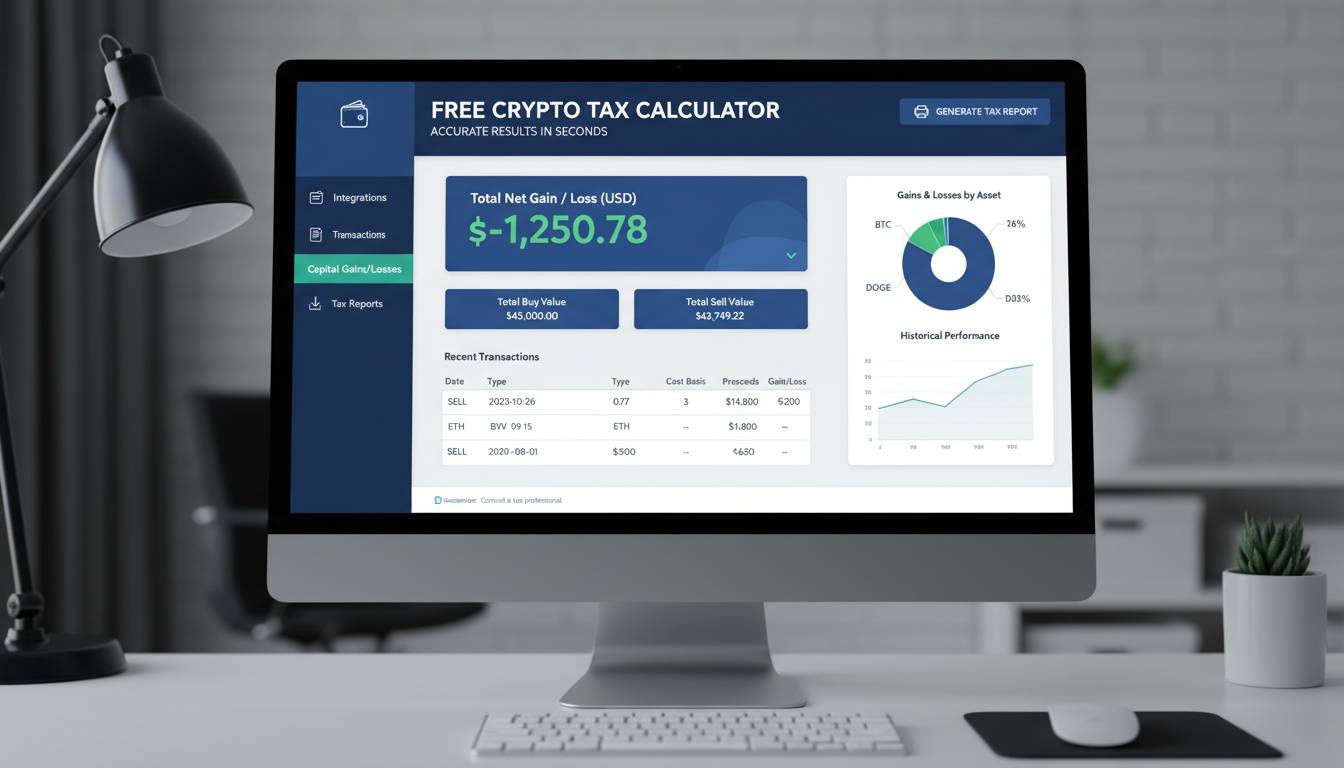
Calculating cryptocurrency taxes doesn’t have to feel like navigating a regulatory maze. A crypto tax calculator analyzes your entire transaction history—every buy, sell, trade, and transfer—then applies the relevant tax rules to determine what you owe. The best tools process thousands of transactions in seconds, flagging taxable events and generating the documentation you need for filing.
Key Insights
– The IRS classifies cryptocurrency as property, meaning every taxable event triggers capital gains or ordinary income calculations
– Over 40% of cryptocurrency traders underestimate their tax obligations, according to a 2023 CoinLedger survey
– Modern crypto tax calculators integrate directly with exchanges, eliminating manual entry errors
– The average American crypto investor saves 15-20 hours by using dedicated tax software versus spreadsheet calculations
This guide walks you through everything you need to know about crypto tax calculators—how they work, which features matter most, and how to choose the right tool for your situation.
What Is a Crypto Tax Calculator and How Does It Work?
A crypto tax calculator is specialized software designed to track your cryptocurrency transactions across multiple platforms and exchanges, then calculate the capital gains or losses you owe based on current IRS guidelines. These tools connect to your exchange accounts via API, import your complete trading history, and apply the appropriate cost basis methods to determine your tax liability.
How the Calculation Process Works
When you connect your accounts, the calculator pulls every transaction record, including the date, time, amount, and price at the time of each trade. For every sale or exchange, it calculates your cost basis—the original purchase price plus any fees—and compares it to the sale price to determine your gain or loss. The tool then categorizes each transaction as short-term (held less than one year) or long-term (held longer than one year), since these receive different tax treatment.
Most calculators support multiple cost basis accounting methods. Specific identification allows you to choose which specific tokens you’re selling when you have multiple purchases of the same asset—a strategy that can minimize your tax bill. First-in, first-out (FIFO) sells your oldest holdings first, while last-in, first-out (LIFO) assumes you sold your most recent purchases first. Some investors benefit significantly from selecting specific identification, though this requires more manual input and record-keeping.
Why Manual Calculations Fail
Calculating crypto taxes manually introduces several failure points. Transaction history from multiple exchanges often contains gaps, especially when you transferred crypto between wallets or used decentralized exchanges that don’t issue 1099 forms. Price discrepancies between sources can dramatically alter your cost basis calculations—using the wrong price at the time of transaction can create incorrect gains or losses. Perhaps most critically, the IRS requires you to track cost basis even for transactions where you received crypto as income, such as mining rewards, staking income, or airdrops. These “cost basis” amounts equal the fair market value when you received the tokens, and tracking this manually across potentially hundreds of transactions becomes nearly impossible for active traders.
Why Cryptocurrency Taxes Matter for American Investors
The IRS has intensified its focus on cryptocurrency taxation over the past several years. Starting in 2023, the agency required crypto exchanges to report transactions exceeding $600 to both the taxpayer and the IRS via Form 1099-DA (though enforcement has been delayed). This means the taxman already knows about many of your transactions—even if you haven’t reported them yourself.
The Legal Framework
The IRS treats cryptocurrency as property, not currency. This distinction matters significantly because it means every transaction has potential tax implications:
- Selling crypto for fiat (dollars, euros, etc.): Capital gains or losses
- Trading one crypto for another (BTC for ETH): Taxable event—you’ve sold one property to buy another
- Using crypto to purchase goods or services: Capital gains calculation applies
- Receiving crypto as income (mining, staking, airdrops): Ordinary income taxed at your marginal rate
- Crypto-to-crypto transactions: Even these trigger capital gains calculations
Failing to report cryptocurrency income can result in audits, penalties, and interest. The statute of limitations for unreported income extends to six years if you substantially understate your gross income. However, the IRS has also indicated that taxpayers who make good-faith efforts to comply—even if they make mistakes—receive more lenient treatment than those who deliberately evade their obligations.
Recent Enforcement Trends
The IRS conducted thousands of cryptocurrency audits in 2023 and 2024, focusing particularly on high-volume traders and individuals who received significant income from mining or staking operations. Crypto exchange Coinbase was subpoenaed in 2023 to provide transaction records for accounts meeting certain thresholds. The message is clear: the IRS expects compliance, and the infrastructure for enforcement is now in place.
Essential Features to Look for in a Crypto Tax Calculator
Not all crypto tax calculators deliver equal value. The right tool depends on your trading volume, portfolio complexity, and specific needs. Here’s what matters most when evaluating options:
Integration Capabilities
The best calculators connect directly to major exchanges through secure API connections. This automation eliminates manual entry errors and ensures every transaction gets captured. Look for support across the platforms you use—Coinbase, Binance, Kraken, Gemini, and decentralized exchanges like Uniswap should all be covered. Additional integrations with tax software like TurboTax or professional accounting platforms add further convenience.
| Feature | Why It Matters |
|---|---|
| Exchange API connections | Automatically imports all transactions without manual entry |
| Wallet integration | Tracks on-chain transactions from personal wallets |
| DeFi and NFT support | Captures taxable events from decentralized exchanges and NFT marketplaces |
| Multi-chain compatibility | Works across different blockchain networks you might use |
| FIFO/LIFO/Specific ID | Gives you flexibility in calculating cost basis |
Calculation Accuracy
The software should handle the complexities that trip up manual calculations: wash sale rules (though these apply differently to crypto), token splits, hard forks, and income events like staking rewards. It should also support both short-term and long-term capital gains calculations and apply the correct rates based on your income bracket.
Reporting and Documentation
Your calculator should generate the forms and reports you need for filing. This includes Schedule D for capital gains, Form 8949 for transaction details, and any state-specific documentation required in your jurisdiction. Some calculators also provide audit-ready reports that explain exactly how each figure was calculated—a critical safeguard if you’re ever questioned by the IRS.
Pricing Structure
Pricing varies significantly across providers. Many offer free tiers limited to a certain number of transactions, which works for casual investors but falls short for active traders. Annual subscriptions typically range from $50 to $300 depending on features and transaction limits. Consider whether the tool charges per exchange or offers unlimited connections.
Top Crypto Tax Calculators: A Comparative Overview
Several established players dominate the crypto tax calculator market, each with distinct strengths:
We're proud to announce our latest partnership with @CoinStats! Tracking your portfolio and managing your crypto taxes has never been so easy. 💪 pic.twitter.com/zi63Sk0gav
— Summ (@summ_app) April 5, 2024
| Calculator | Best For | Starting Price | Key Strength |
|---|---|---|---|
| CoinLedger | Beginners and mid-level traders | Free up to 25 transactions | User-friendly interface |
| Koinly | Active DeFi traders | Free up to 10,000 transactions | Extensive exchange support |
| TaxBit | Enterprise and CPAs | Custom pricing | Professional-grade reporting |
| CryptoTrader.Tax | Budget-conscious users | Free up to 25 transactions | Affordable pricing |
| Zen Ledger | Security-focused users | $119/year | Strong security features |
CoinLedger has emerged as a popular choice for beginners due to its intuitive interface and helpful educational content. The platform integrates with over 400 exchanges and handles the majority of common tax scenarios without requiring advanced configuration.
Koinly distinguishes itself with superior support for DeFi transactions, NFT trading, and staking income—categories that increasingly trip up investors as crypto ecosystems grow more complex. Its free tier handles up to 10,000 transactions annually, making it accessible for most individual investors.
TaxBit targets professional accountants and high-volume traders, offering batch processing, API automation, and detailed audit trails. Its integration with professional tax preparation software makes it a favorite among CPAs managing multiple crypto clients.
How to Use a Crypto Tax Calculator: Step-by-Step
Getting accurate results from a crypto tax calculator requires proper setup. Follow these steps to ensure you’re capturing everything correctly:
Step 1: Gather Your Information
Before connecting to any calculator, compile a list of every exchange, wallet, and platform where you’ve held or traded cryptocurrency. Include:
- Centralized exchanges (Coinbase, Binance US, Kraken, etc.)
- Decentralized exchange wallets (MetaMask, Phantom, etc.)
- Hardware wallets where you’ve stored crypto
- Any accounts receiving mining, staking, or airdropped tokens
Step 2: Connect Your Accounts
Create an account with your chosen calculator, then connect each exchange and wallet using API keys. Most platforms provide step-by-step instructions for generating these keys. Ensure your API keys include transaction history read access—some keys are configured for trading only and won’t import your full history.
Step 3: Review Imported Transactions
Never assume imported data is perfect. Carefully review the transactions list for duplicates, missing entries, or obviously incorrect values. Pay particular attention to:
- Transfers between your own wallets (these shouldn’t trigger taxable events)
- Large transactions that might indicate errors
- Any transactions predating your first exchange account
Step 4: Select Your Cost Basis Method
Choose your accounting method based on your strategy. Specific identification offers the most control but requires more attention. FIFO is the default choice if you’re unsure—it’s also what the IRS expects if your records don’t support alternative methods.
Step 5: Generate Your Reports
Run the final calculation and review the generated reports. Check that short-term and long-term gains are properly separated, income events are categorized correctly, and your total liability seems reasonable given your trading activity.
Step 6: Transfer to Tax Software or Accountant
Export the appropriate forms and either import them into your tax software or provide them to your accountant. Ensure you retain the detailed transaction log in case questions arise later.
Common Mistakes to Avoid When Calculating Crypto Taxes
Even with dedicated software, certain errors can undermine your calculations:
Mistake #1: Forgetting About Crypto-to-Crypto Trades
Many beginners assume only selling crypto for fiat triggers taxes. In reality, trading one cryptocurrency directly for another counts as two taxable events: selling the first crypto and buying the second. Each requires its own gain or loss calculation.
Mistake #2: Ignoring Income Events
Mining rewards, staking income, airdrops, and hard forks all trigger ordinary income tax at their fair market value at the time of receipt. You then owe capital gains tax on any appreciation from that income value to when you eventually sell.
Mistake #3: Misreporting Cost Basis
When you receive crypto as income, your cost basis equals the fair market value at receipt—not zero. Many taxpayers incorrectly report $0 cost basis for airdrops or mining income, resulting in inflated capital gains.
Mistake #4: Using the Wrong Prices
Exchange prices vary slightly between sources. Your calculator should pull historical prices from reliable index sources, but you should verify that major transactions reflect reasonable values. Significant discrepancies might indicate an error.
Mistake #5: Neglecting Transaction Fees
Both the fees you pay to make transactions and the fees included in your purchase price affect your cost basis calculation. Many calculators handle this automatically, but verify that small transactions with large fees are calculating correctly.
Frequently Asked Questions
How much does a crypto tax calculator cost?
Most crypto tax calculators offer free tiers limited to a certain number of transactions (typically 25 to 10,000 per year). Paid plans range from $50 to $300 annually depending on features and transaction limits. The most affordable option isn’t always the best value—ensure the tool handles your specific exchange and transaction types.
Do I need to report crypto losses on my tax return?
Yes, you can and should report cryptocurrency capital losses to offset capital gains. If your losses exceed your gains, you can deduct up to $3,000 against ordinary income annually, with excess losses carrying forward to future years. This makes accurate record-keeping valuable even in down years.
What happens if I don’t report my crypto taxes?
The IRS can audit your returns, assess additional taxes, penalties, and interest. Willful non-compliance can even result in criminal prosecution in extreme cases. Given that exchanges now report transactions to the IRS, failing to report creates significant risk.
Can a crypto tax calculator handle DeFi transactions and NFTs?
Some calculators—particularly Koinly and TokenTax—specialize in DeFi and NFT transactions. Not all calculators support these categories, so verify capabilities before relying on a tool for complex portfolios. Decentralized exchange transactions often require manual adjustment even with supported software.
How do I calculate taxes on crypto I received as a gift?
Gifts of cryptocurrency follow different rules than purchases. The cost basis “carries over” from the original owner—so you inherit their purchase price. This can result in significant capital gains if they bought years ago, though it also means you might owe less tax when you eventually sell. Some calculators handle gift transactions, but you may need to manually input the original cost basis.
What’s the difference between short-term and long-term capital gains for crypto?
Short-term capital gains apply to assets held less than one year and are taxed at your ordinary income tax rate (up to 37%). Long-term gains apply to holdings exceeding one year and receive preferential rates (0%, 15%, or 20%). Holding periods reset every time you acquire new tokens of the same cryptocurrency.
Conclusion
A crypto tax calculator transforms an overwhelming compliance burden into a manageable annual task. The right tool integrates with your exchanges, accurately categorizes every taxable event, and generates the documentation you need for filing—whether you handle it yourself or work with a professional.
Start by identifying every platform where you’ve held cryptocurrency, then evaluate calculators based on integration support, calculation accuracy, and your specific transaction types. For most individual investors, platforms like CoinLedger or Koinly offer the right balance of features and affordability. Active DeFi traders should prioritize tools with strong decentralized exchange support.
Remember: the goal isn’t just compliance—it’s ensuring you’re not overpaying. Accurate cost basis tracking, strategic selection of accounting methods, and proper classification of income events can meaningfully reduce your tax liability while keeping you squarely within IRS guidelines. The best time to set up proper tracking was when you started trading. The second-best time is today.